
Microbee Tech Team
Reading Time :
12 Minute
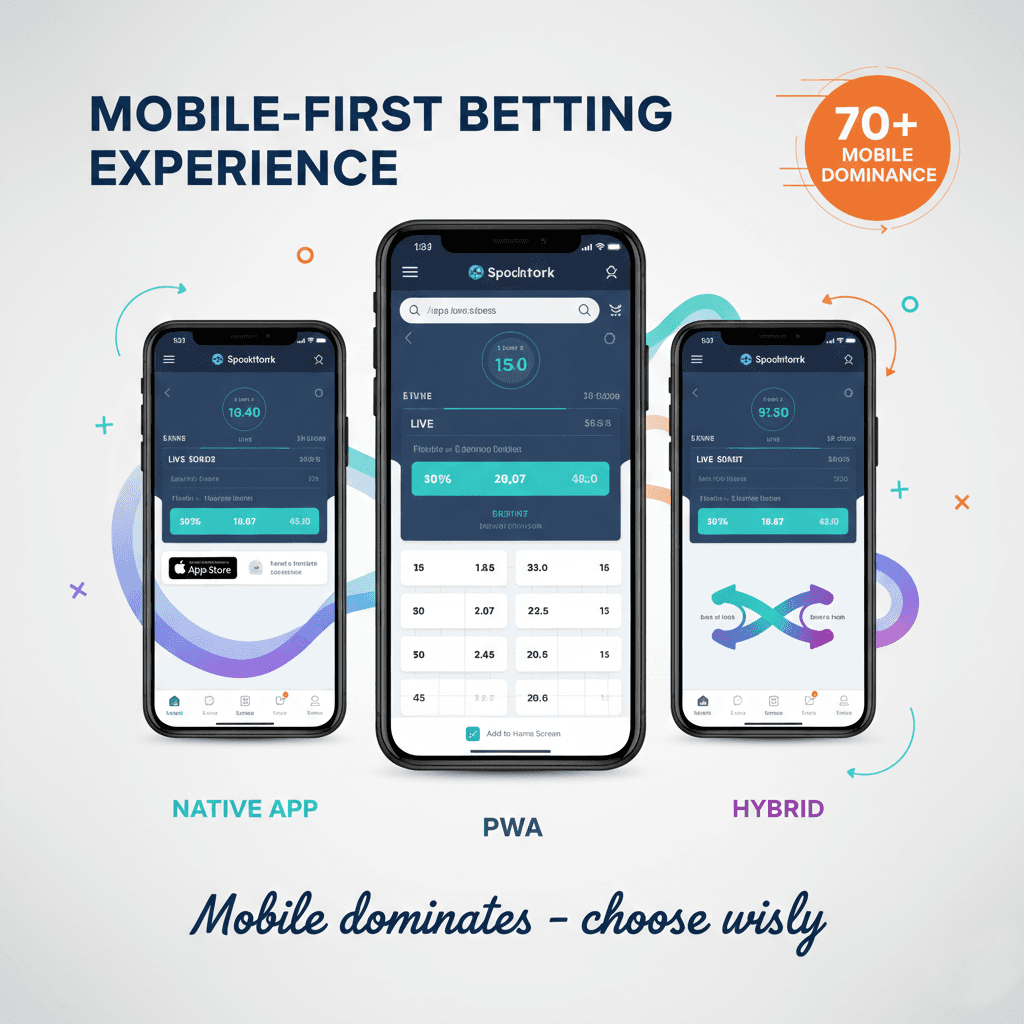
The desktop era of sports betting has ended. What began as a gradual shift accelerated into a fundamental transformation—today, mobile devices dominate sports betting engagement across virtually every market and demographic.
The implications for operators are profound. Your mobile experience isn't a feature of your sportsbook; it is your sportsbook for the majority of customers. Players who encounter friction on mobile don't switch to desktop—they switch to competitors with better mobile experiences.
Yet choosing the right mobile approach involves complex trade-offs between player experience, development costs, time to market, and ongoing maintenance. At MicroBee, we've implemented mobile solutions across 300+ operators in 50+ jurisdictions, observing which approaches succeed and which create problems. This guide shares those insights to help you make the mobile strategy decision that serves your specific situation.
Mobile Betting: The Numbers That Matter
Before evaluating technical approaches, understanding mobile betting behavior provides essential context.
Current Mobile Dominance
70-80% of bets placed on mobile devices. This figure varies by market—reaching 85%+ in mobile-first markets like India and parts of Africa while remaining around 65-70% in more desktop-traditional European markets. But the direction is universal: mobile share grows every year.
90% of live betting occurs on mobile. The spontaneous, time-sensitive nature of in-play wagering aligns perfectly with mobile's always-available presence. Operators without excellent mobile live betting experiences lose the fastest-growing betting segment.
Mobile sessions are shorter but more frequent. Average mobile betting session: 4-7 minutes. Average desktop session: 15-25 minutes. But mobile users return 3-4x more frequently, generating comparable or greater lifetime engagement.
Mobile users convert differently. Mobile registration completes 40% faster than desktop, but deposit amounts trend 15-20% lower. However, mobile users show higher deposit frequency and stronger retention metrics.
Player Experience Expectations
Mobile bettors expect:
Instant responsiveness: Tolerance for latency is minimal. Delays exceeding 2 seconds trigger abandonment. Live betting demands sub-second response for competitive experience.
One-handed operation: Most mobile betting happens in contexts where one hand holds the phone. Interfaces requiring two-handed interaction or precise targeting frustrate users.
Offline resilience: Connection interruptions shouldn't lose bet slips or require re-authentication. Players expect graceful handling of network transitions.
Native-feeling interactions: Regardless of underlying technology, users expect smooth scrolling, responsive touch feedback, and interactions matching platform conventions.
Three Approaches Compared: Executive Summary
Three primary approaches dominate mobile sportsbook development. Each involves distinct trade-offs:
Factor | Native App | Progressive Web App | Hybrid App |
Performance | Excellent | Good-Very Good | Good |
Development Cost | High ($150K-400K) | Low-Medium ($50K-150K) | Medium ($100K-250K) |
Time to Market | 4-8 months | 2-4 months | 3-6 months |
App Store Required | Yes | No | Yes |
Updates | Store approval needed | Instant | Store approval needed |
Device Features | Full access | Limited | Near-full access |
Maintenance | Two codebases | Single codebase | Single codebase |
Offline Capability | Excellent | Good | Good |
Push Notifications | Full featured | Limited (improving) | Full featured |
None of these approaches is universally superior. The right choice depends on your resources, timeline, markets, and strategic priorities.
Native Apps: Maximum Performance, Maximum Investment
Native applications are built specifically for each platform (iOS and Android) using platform-specific languages and tools—Swift/Objective-C for iOS, Kotlin/Java for Android.
How Native Apps Work
Native development creates separate applications for each platform:
iOS development uses Apple's development tools (Xcode), programming languages (Swift or Objective-C), and design guidelines (Human Interface Guidelines). Applications distribute through the Apple App Store.
Android development uses Google's tools (Android Studio), languages (Kotlin or Java), and Material Design guidelines. Distribution occurs through Google Play Store and, in some regions, alternative stores.
Each application is optimized specifically for its platform, accessing all device capabilities and following platform conventions precisely.
Native App Advantages
Superior performance
Native apps deliver the fastest, smoothest experience possible. Direct access to device hardware, optimized rendering, and platform-specific optimization create responsiveness that other approaches struggle to match.
For live betting where milliseconds matter, native performance advantages are measurable and meaningful. Odds updates display faster, bet placement confirms quicker, and the overall experience feels more responsive.
Full device feature access
Native apps access every device capability: camera for ID verification, biometric authentication (Face ID, fingerprint), GPS for geolocation compliance, accelerometer for interaction patterns, and secure storage for credentials.
Push notification implementation reaches full capability only in native apps—rich notifications, actionable buttons, and deep linking all work optimally.
Platform-optimized UX
Each mobile platform has distinct interaction patterns and user expectations. Native development enables experiences that feel completely natural to each platform's users rather than generic cross-platform compromises.
App store presence
App store listings provide discovery opportunities, review-based credibility signals, and simplified installation processes that users understand. Search within app stores drives organic acquisition.
Offline capabilities
Native apps handle offline scenarios most gracefully—caching data locally, queuing actions for later synchronization, and maintaining functionality during connectivity interruptions.
Native App Disadvantages
Highest development cost
Building and maintaining two separate applications effectively doubles development effort. Skilled native developers command premium compensation, and finding teams proficient in both iOS and Android development proves challenging.
Realistic native development budgets:
Initial development: $150,000-400,000
Annual maintenance: $75,000-150,000
Major updates: $30,000-80,000 each
Longest time to market
Separate development tracks, platform-specific testing, and app store review processes extend timelines. Expect 4-8 months from project initiation to public availability.
App store approval complexity
Both Apple and Google impose restrictions on real-money gambling apps:
Apple App Store: Requires operators to hold licenses in each jurisdiction where the app will be available. Review processes can take 2-4 weeks. Rejection for compliance issues is common and appeals are time-consuming.
Google Play Store: Gambling policies vary by country. Many jurisdictions prohibit Play Store distribution of gambling apps entirely. Where permitted, licensing verification and compliance review add approval time.
Update deployment friction
Every update—even minor bug fixes—requires app store review and approval. Critical fixes may wait days while approval processes complete. Users must actively update apps, creating version fragmentation.
Geographic restrictions
App store distribution requires meeting platform requirements in each target country. Some markets prohibit gambling app distribution entirely through official stores, limiting reach.
When Native Apps Make Sense
Native development fits operators who:
Prioritize absolute best performance, especially for live betting
Have resources for dual-platform development and maintenance
Operate in jurisdictions with straightforward app store approval paths
Plan long-term investment with ongoing development resources
Target markets where app store presence is essential for credibility
Progressive Web Apps: Modern Solution, No App Store
Progressive Web Apps (PWAs) use modern web technologies to deliver app-like experiences through web browsers, eliminating app store dependency while approaching native-quality experience.
How PWAs Work
PWAs are web applications enhanced with capabilities that blur the distinction between websites and apps:
Service workers enable offline functionality, background synchronization, and caching strategies that improve performance and reliability.
Web app manifest files define how the application appears when installed—icon, splash screen, display mode, and orientation preferences.
HTTPS requirement ensures security for all PWA interactions, enabling advanced features that browsers restrict on insecure connections.
Users can "install" PWAs to their home screens, launching them in full-screen mode that looks and feels like native applications—without downloading from app stores.
PWA Advantages
No app store requirements
PWAs distribute directly through your website. Players visit your site, add to home screen, and have an app-like experience without app store approval processes, compliance reviews, or geographic restrictions.
This independence proves particularly valuable in jurisdictions where app stores prohibit gambling applications or where licensing status complicates approval.
Single codebase
One development effort serves all platforms—iOS, Android, and desktop browsers. Development, testing, and maintenance costs drop significantly compared to native dual-platform approaches.
Instant updates
Updates deploy immediately without app store review. Critical bug fixes, new features, and compliance changes can reach all users within hours rather than waiting days or weeks for approval processes.
Lower development cost
PWA development typically costs 40-60% less than equivalent native development:
Initial development: $50,000-150,000
Annual maintenance: $30,000-75,000
Updates: Near-zero incremental cost
Reduced friction for users
No download, no account creation with app stores, no update installation. Users can experience your full application within seconds of first visit, reducing abandonment in acquisition funnels.
SEO benefits
PWAs are web content that search engines can index. Deep linking to specific content works naturally. Marketing campaigns can link directly to relevant sections rather than generic app store listings.
PWA Disadvantages
iOS limitations
Apple restricts PWA capabilities on iOS more severely than Android:
Push notifications only recently supported (iOS 16.4+) with limitations
Storage limits may clear cached data unexpectedly
No background sync support
Some device features remain inaccessible
These limitations are gradually reducing but remain significant for iOS-heavy markets.
Performance gap
PWAs cannot match native performance in demanding scenarios. Complex animations, real-time data updates, and intensive calculations show measurable differences. For most users, the gap isn't noticeable—but for live betting enthusiasts comparing platforms, native feels faster.
Limited device feature access
Some device capabilities remain unavailable to web applications: certain biometric implementations, Bluetooth, NFC, and advanced camera controls. Most betting functionality doesn't require these, but ID verification and certain security features may be constrained.
Discoverability challenges
Without app store presence, PWAs rely entirely on web-based discovery—SEO, advertising, and direct marketing. Users searching app stores won't find your PWA.
User perception
Some users perceive "real apps" as more legitimate than web-based alternatives. This perception gap is narrowing but may affect conversion in certain demographics.
When PWAs Make Sense
PWA approach fits operators who:
Need rapid market entry without app store approval delays
Operate in jurisdictions where app store gambling restrictions apply
Have limited development budgets requiring single-codebase efficiency
Prioritize update agility over absolute peak performance
Target markets with Android dominance (where PWA capabilities are stronger)
Value SEO-based discovery as a customer acquisition channel
Hybrid Apps: Best of Both Worlds?
Hybrid applications use web technologies (HTML, CSS, JavaScript) wrapped in native containers, enabling app store distribution while maintaining single-codebase efficiency.
How Hybrid Apps Work
Hybrid frameworks—React Native, Flutter, Ionic, Capacitor—enable building applications with web technologies that compile or wrap into native app packages:
React Native (Facebook/Meta) renders native components using JavaScript, achieving near-native performance while sharing substantial code between platforms.
Flutter (Google) uses Dart language with its own rendering engine, creating consistent cross-platform experiences with strong performance characteristics.
Ionic/Capacitor wrap web applications in native containers, providing bridge access to native device features while maintaining web-based core functionality.
The resulting applications distribute through app stores like native apps while requiring only one primary codebase.
Hybrid App Advantages
Single codebase, app store presence
Hybrid development achieves the efficiency goal (one codebase) while maintaining app store distribution benefits. Development costs fall between native and PWA approaches.
Near-native device access
Modern hybrid frameworks provide bridges to most native device capabilities—push notifications, biometrics, camera, GPS, and secure storage all function with minor limitations.
Faster development than native
Code sharing between platforms accelerates development. Changes apply to both platforms simultaneously rather than requiring separate implementations.
Development costs typically:
Initial development: $100,000-250,000
Annual maintenance: $50,000-100,000
Updates: $20,000-50,000 each
Larger developer talent pool
JavaScript and React developers are more abundant than native iOS/Android specialists. Flutter's Dart language is relatively easy to learn for developers with existing programming experience.
Reasonable performance
Modern hybrid frameworks—particularly React Native and Flutter—achieve performance acceptable for most betting applications. The gap with native has narrowed substantially.
Hybrid App Disadvantages
Still requires app store approval
Hybrid apps distribute through app stores, inheriting the same approval processes, compliance requirements, and geographic restrictions as native apps.
Performance compromises
While improved, hybrid performance still trails native in demanding scenarios. Complex animations, heavy real-time updates, and graphics-intensive features may show degradation.
Framework dependency
Your application depends on framework maintainers. Major framework changes can require significant refactoring. Framework abandonment (rare but possible) creates substantial risk.
Platform-specific issues
Despite single-codebase claims, platform-specific bugs and behaviors require platform-specific solutions. Development teams need some familiarity with both platforms even if not building fully native.
Debugging complexity
Issues spanning JavaScript, native bridges, and platform-specific behavior can be difficult to diagnose. Debugging tools are less mature than native platform tools.
When Hybrid Apps Make Sense
Hybrid development fits operators who:
Want app store presence but need development efficiency
Have JavaScript/React development capabilities
Accept performance that's "good enough" rather than optimal
Need faster development than native with better device access than PWA
Plan moderate complexity applications without extreme performance requirements
Performance Requirements for Mobile Betting
Regardless of technical approach, mobile betting platforms must meet specific performance thresholds.
Critical Performance Metrics
Time to Interactive (TTI): Under 3 seconds on 4G connections, under 5 seconds on 3G. Users abandon experiences that don't become usable quickly.
Odds update latency: Under 500ms from server to display for live betting competitiveness. Sub-200ms differentiates premium experiences.
Bet placement response: Under 2 seconds from tap to confirmation. Faster responses build confidence; delays create anxiety about bet status.
Scroll performance: 60fps smooth scrolling throughout the application. Janky scrolling immediately signals poor quality.
Touch response: Under 100ms feedback for all touch interactions. Delayed touch response feels broken.
Performance Optimization Strategies
Optimize images: Compress aggressively, use modern formats (WebP, AVIF), implement lazy loading for off-screen content.
Minimize JavaScript: Bundle size directly impacts load time. Code splitting, tree shaking, and lazy loading reduce initial payload.
Cache strategically: Static assets, user preferences, and recently-viewed data should load from local cache when possible.
Prioritize above-the-fold: Load visible content first, defer off-screen rendering until needed.
Use CDN distribution: Geographic proximity to users reduces latency. Global operations need global CDN presence.
UX/UI Best Practices for Mobile Betting
Mobile betting interfaces require specific design approaches optimized for the betting context.
Navigation and Information Architecture
Bottom navigation dominant: Primary navigation belongs at screen bottom where thumbs naturally reach. Top navigation requires uncomfortable stretching on modern large phones.
Minimal tap depth: Players should reach any core function within 2-3 taps from home. Deep navigation hierarchies frustrate mobile users.
Persistent bet slip access: Current selections should be visible or accessible with one tap from any screen. Modal bet slips work well; buried bet slips lose bets.
Clear back navigation: Users must always understand where they are and how to return. Breadcrumbs or clear back buttons prevent disorientation.
Betting-Specific Interface Design
Touch target sizing: Minimum 44x44 pixels for all tappable elements. Odds buttons and bet placement controls should be larger—cramped interfaces cause selection errors.
Scannable odds presentation: Bettors scan many options quickly. Clear visual hierarchy, consistent positioning, and adequate spacing enable rapid comprehension.
Stake entry optimization: Numeric keypads for stake entry, quick-stake buttons for common amounts, clear current-balance display near stake input.
Confirmation friction calibration: One-tap betting suits experienced users but frustrates accidental taps. Consider user-configurable confirmation preferences.
Visual Design Principles
High contrast essentials: Odds, stakes, and potential returns must be readable in any lighting condition. Outdoor and bright-light usage is common.
Color-coded changes: Rising and falling odds need instant visual recognition. Green/red conventions work across cultures.
Dark mode support: Many users prefer dark interfaces, especially during evening/night betting sessions. Battery savings on OLED screens provide functional benefit.
Reduced visual clutter: Mobile screens are small. Every element must justify its presence. Decorative elements that don't aid betting decisions waste precious space.
Push Notifications and Engagement
Push notifications drive engagement and retention in mobile betting—but implementation varies significantly across approaches.
Notification Types That Drive Engagement
Pre-match reminders: "Your team kicks off in 30 minutes" drives return visits and bet placement.
Live betting opportunities: "Match going to overtime—enhanced odds available" captures spontaneous engagement.
Bet status updates: "Your bet on Liverpool just won! £45.00 credited" provides immediate gratification.
Promotional alerts: "Free bet expires in 24 hours" creates urgency without being purely promotional.
Personalized suggestions: "Based on your betting history: Arsenal vs Chelsea—see markets" demonstrates understanding of player preferences.
Platform Capabilities Comparison
Capability | Native | PWA | Hybrid |
Basic notifications | ✓ | ✓ (iOS 16.4+) | ✓ |
Rich media | ✓ | Limited | ✓ |
Action buttons | ✓ | Limited | ✓ |
Deep linking | ✓ | ✓ | ✓ |
Scheduling | ✓ | Limited | ✓ |
Background delivery | ✓ | No | ✓ |
Notification grouping | ✓ | Limited | ✓ |
Notification Best Practices
Permission timing: Request notification permission after demonstrating value, not immediately at first launch. Explain benefits before asking.
Frequency management: Over-notification drives opt-outs. 2-4 notifications daily maximum for most users. Allow user preference customization.
Relevance is paramount: Irrelevant notifications destroy trust faster than silence. Personalization based on betting behavior is essential.
Deep linking always: Every notification should link to relevant content, not generic app opening.
MicroBee's Mobile-Optimized Platform
At MicroBee, mobile excellence isn't an afterthought—it's foundational to our sportsbook platform architecture.
Our Mobile Capabilities
Flexible deployment options: We support native app development, PWA deployment, and hybrid approaches—matching technology to your specific requirements and constraints.
Mobile-first design: Our interfaces are designed for mobile from the ground up, not adapted from desktop layouts. Touch targets, navigation patterns, and information architecture all optimize for mobile contexts.
Performance optimization: Sub-second odds updates, optimized asset delivery, and efficient rendering ensure competitive mobile experiences regardless of deployment approach.
Comprehensive notification infrastructure: Full push notification capabilities for promotional campaigns, bet status updates, and engagement sequences—with tools to manage frequency and personalization.
White-label mobile apps: For operators wanting app store presence without development investment, our white-label mobile applications provide turnkey solutions with your branding.
Why Operators Choose MicroBee for Mobile
Proven mobile deployments: Our platform powers mobile betting experiences across 50+ jurisdictions, with performance optimization refined through real-world operation at scale.
Rapid mobile launch: Whether PWA or app-based, our mobile implementations deploy in 2-4 weeks—getting you to market while competitors are still in development.
Ongoing optimization: Mobile best practices evolve continuously. Our platform incorporates latest optimizations without requiring custom development from operators.
Contact our team to discuss which mobile approach fits your market and strategy.
Development Timeline Comparison
Time to market often drives technology decisions. Here's how timelines typically unfold:
Native App Development
Phase | iOS | Android | Notes |
Design & Planning | 3-4 weeks | 3-4 weeks | Can parallelize |
Core Development | 10-14 weeks | 10-14 weeks | Separate teams |
Testing & QA | 3-4 weeks | 3-4 weeks | Platform-specific |
App Store Submission | 2-4 weeks | 1-3 weeks | Review + iterations |
Total | 18-26 weeks | 17-25 weeks |
Realistic timeline: 4-6 months for quality native apps on both platforms.
PWA Development
Phase | Duration | Notes |
Design & Planning | 2-3 weeks | Single design system |
Core Development | 6-10 weeks | One codebase |
Testing & QA | 2-3 weeks | Cross-browser testing |
Deployment | < 1 week | No approval needed |
Total | 10-17 weeks |
Realistic timeline: 2.5-4 months for production-ready PWA.
Hybrid App Development
Phase | Duration | Notes |
Design & Planning | 3-4 weeks | Platform-aware design |
Core Development | 8-12 weeks | Shared codebase + bridges |
Testing & QA | 3-4 weeks | Both platforms |
App Store Submission | 2-4 weeks | Both stores |
Total | 16-24 weeks |
Realistic timeline: 4-6 months for hybrid apps on both platforms.
Timeline Summary
Approach | Best Case | Typical | Notes |
Native | 4 months | 5-6 months | Both platforms |
PWA | 2.5 months | 3-4 months | All platforms |
Hybrid | 4 months | 5-6 months | Both platforms |
Making Your Mobile Strategy Decision
Your mobile approach should align with your specific circumstances:
Choose Native when:
Absolute performance is competitive necessity
App store presence is essential in your markets
Resources support dual-platform development
Long-term investment justifies higher costs
Choose PWA when:
Speed to market is critical priority
App store restrictions limit distribution
Development budget is constrained
Update agility matters more than peak performance
Android-dominant markets are primary focus
Choose Hybrid when:
App store presence needed with budget efficiency
Development team has JavaScript/React expertise
"Good enough" performance meets requirements
Single codebase maintenance appeals
Consider multiple approaches when:
Different markets have different requirements
PWA for quick launch, native for mature markets
Resources allow parallel development tracks
Taking the Next Step
Mobile strategy determines competitive position in modern sports betting. The right approach depends on your specific markets, resources, and priorities.
Ready to Optimize Your Mobile Experience?
See Mobile Demo — Experience MicroBee's mobile-optimized platform across devices and see the performance that's possible.
Get Mobile Strategy Guide — Request our detailed mobile strategy assessment tailored to your target markets and requirements.
Explore Our Platform — Learn about MicroBee's complete sportsbook capabilities across mobile and desktop.
View Sportsbook Features — Understand the full feature set available through our mobile-optimized platform.
With 70%+ of bets on mobile and growing, your mobile experience isn't optional—it's existential. Let MicroBee help you deliver the mobile experience that wins and retains players.
MicroBee has powered mobile betting experiences for 300+ operators across 50+ jurisdictions since 2014. Our mobile-optimized platform delivers the performance, features, and flexibility modern operators need. Contact our team to discuss your mobile strategy.